







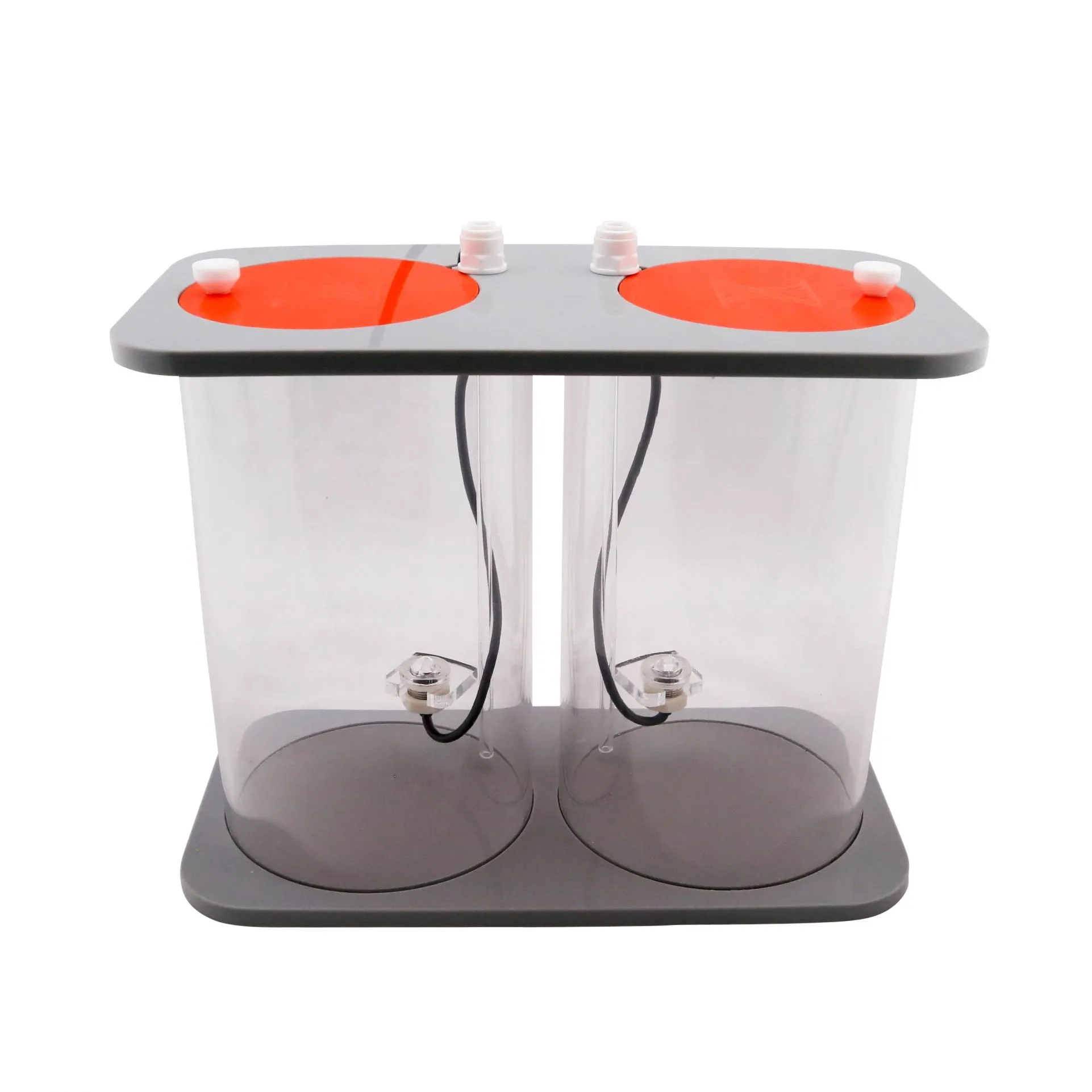

Neptune Systems DDR DOS Dual Reservoir
- Description
- Additional Information
- Reviews
Neptune Systems DDR DOS Dual Reservoir – streamlined Neptune Systems DDR storage for your reef aquarium dosing pump
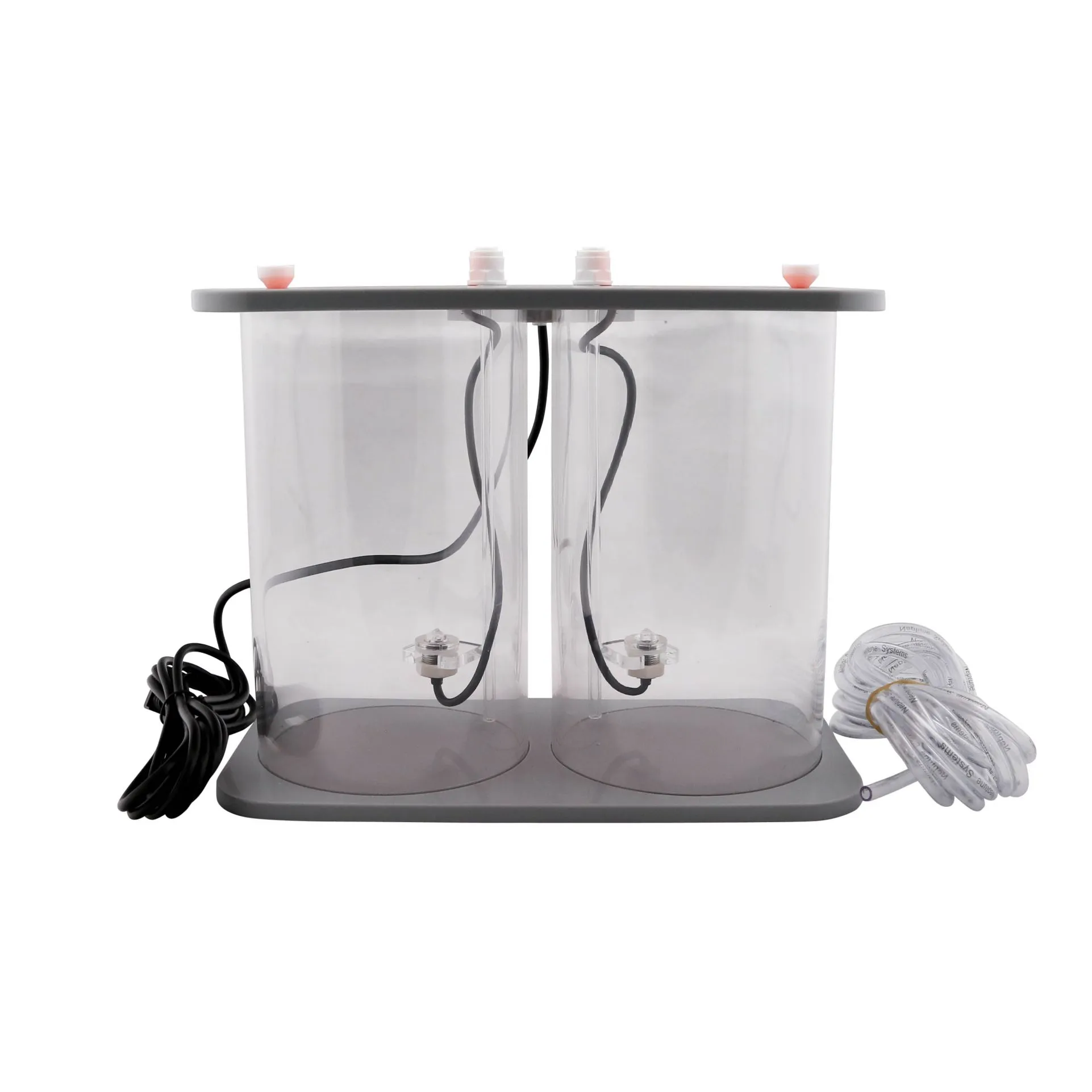
The Neptune Systems DDR DOS Dual Reservoir organizes two-part additives in a compact, stable chassis. It pairs naturally with Neptune Systems gear and fits your Automate & Monitor workflow for clean, trackable dosing.
Dos Dual Reservoir convenience for any Aquarium Dosing Pump setup
This Dos Dual Reservoir integrates with Apex to display live fluid levels. It also anchors securely beside your Dosing Pumps so refills stay quick and tidy.
-
Low center of gravity helps prevent tips and spills
-
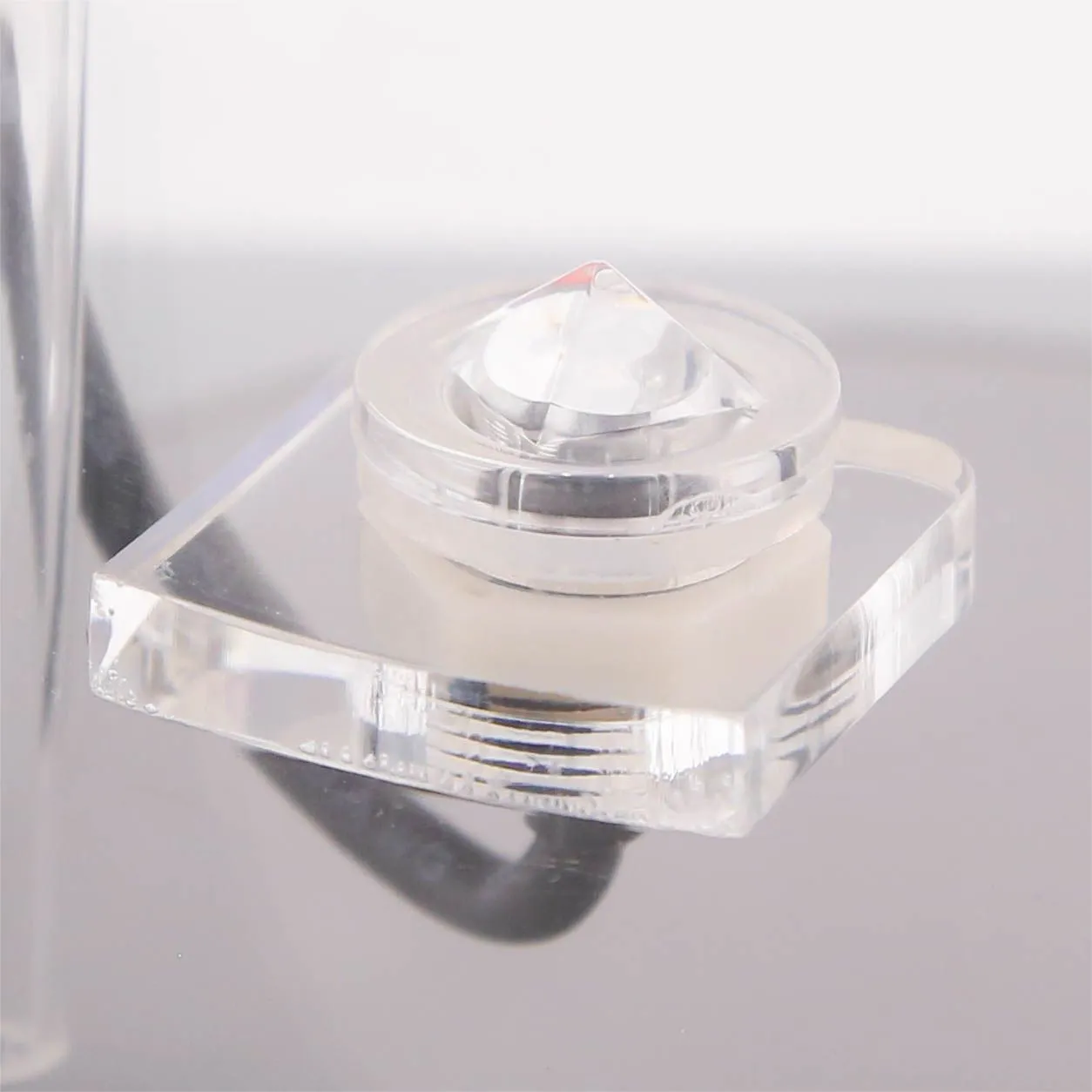
Optical sensors report levels to Apex Fusion in real time
-
Push-fit ports speed tubing connections and maintenance
-
Cast acrylic body resists everyday knocks and salt creep
-
Removable lids simplify refills and cleaning
Connect, calibrate, and dose with confidence
Plug the sensor cable into your Apex, then assign the reservoir sides. Next, prime lines on your reef aquarium dosing pump and start scheduled dosing with clear level feedback.
Quick setup (three steps)
-
Position the DDR on a flat surface near the pump.
-
Insert push-fit tubing and route lines cleanly.
-
Connect the sensor cable to Apex, then verify readings.
Specifications for the Neptune Systems DDR DOS Dual Reservoir
-
Dimensions: 10.5" L x 8.5" W x 5.5" H
-
Capacity: 0.53 gallons per side (~1.06 gallons total)
-
Construction: Cast acrylic with removable lids
-
Sensors: Dual optical level sensors for Apex display
-
Connections: Push-fit dosing ports
-
Requirements: Apex Controller and DOS or DOS QuietDrive for level monitoring
What’s in the box
-
DDR assembly with integrated sensors and cable
-
~13 ft of dosing tubing (approximate)
-
Getting Started Guide
Usage notes and compatibility
Use the DDR with common two-part solutions, trace elements, or kalkwasser alternatives as directed. However, avoid alcohol-based liquids that can damage acrylic and seals.
Care and placement tips
-
Keep lids closed to limit dust and evaporation.
-
Label each side for Alk and Cal to prevent mix-ups.
-
Route lines away from heaters and high-traffic areas.
Commonly Asked Questions about the Neptune Systems DDR DOS Dual Reservoir
Will the DDR work without Apex?
No. The optical level readouts require an Apex Controller connection.
Does it only fit the Neptune DOS?
It’s purpose-built for DOS and DOS QuietDrive systems, matching height and port spacing.
How accurate are the optical sensors?
They provide reliable wet/dry transitions, which Apex displays as “Low/OK” level states.
Can I run calc and alk in the same reservoir?
Yes. Use one side for alkalinity and the other for calcium. Clearly label both lids.
Is the acrylic safe for reef additives?
Yes. Cast acrylic is standard for dosing storage. Avoid solvents or alcohol-based liquids.
How often should I clean it?
Rinse and wipe the reservoir during jug changes. Inspect push-fit ports monthly.
Reviews
There are no reviews yet.